
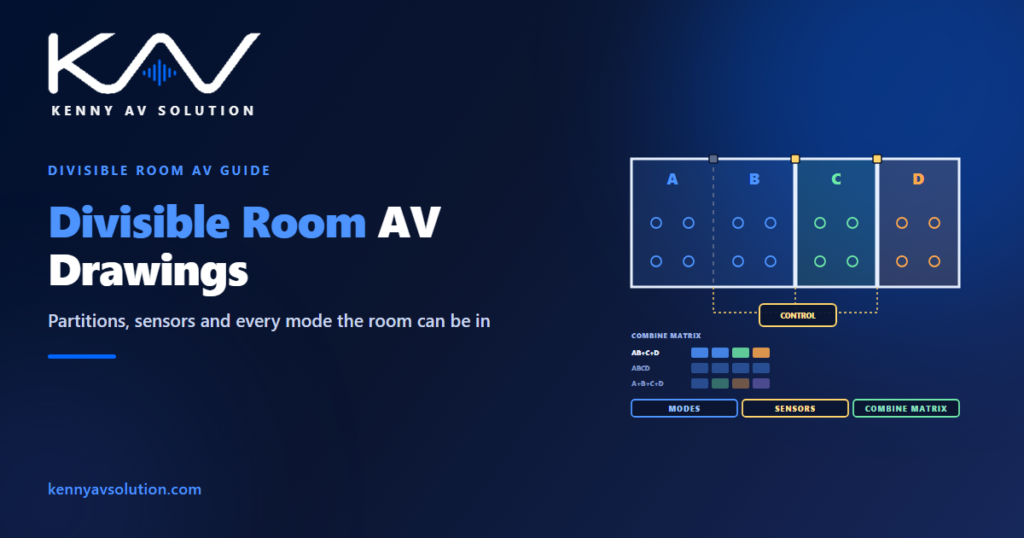
Divisible room AV drawings describe not one room but several. A ballroom with movable partitions, a training suite that opens into one space, a conference centre hall that splits for breakout sessions — each is a set of rooms that can become one room, or two, or three, depending on which partitions are closed. The AV system has to work in every one of those arrangements, and the drawings have to show how. Drawing only the fully open room, or only the fully divided one, leaves the rest to be worked out on site.
Partition products, sensors and the way AV processors handle room combining vary by manufacturer, and their documentation governs. Fire alarm and life-safety behaviour must be agreed with the fire alarm designer. The examples below are illustrative.
Count the modes before drawing anything
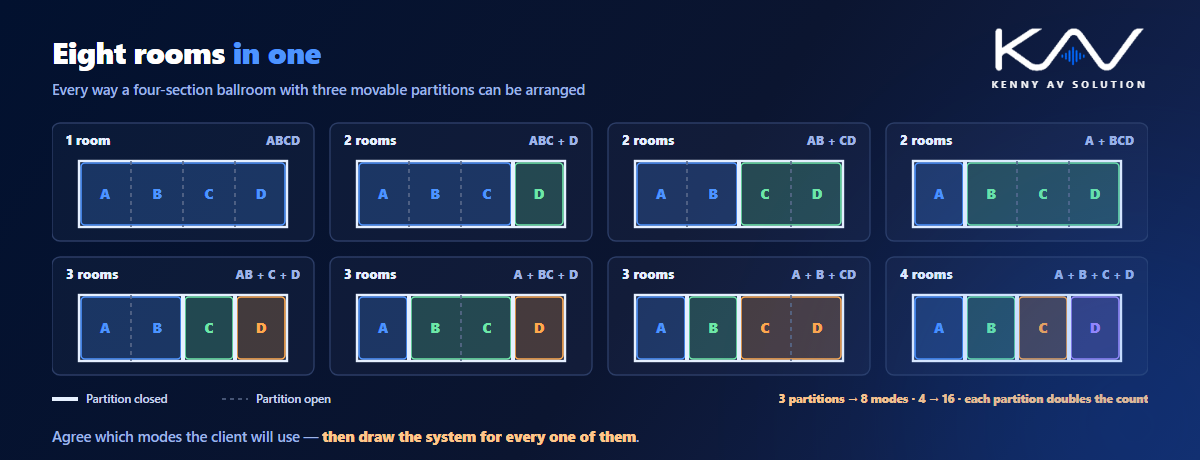
Each movable partition can be open or closed, so every partition doubles the number of possible room arrangements. One partition gives two modes. Three partitions, dividing a hall into four sections in a row, give eight: the whole room, every combination of two and three rooms, and four separate rooms. A fourth partition would make sixteen.
Not every mode needs to be supported. A client may only ever use the room fully open, fully divided and in one or two halves. Agree the supported modes early and write them down; that list is what the control system, the audio processing and the drawings are designed around. Anything not on it is a mode the system is allowed not to handle elegantly.
Draw each section as a room
Treat every section as a complete room on the plans: its own loudspeakers, microphones, displays, wall plates and control panel, each tagged with the section it belongs to. Then show what happens when sections combine — which display becomes the main screen, which control panel becomes the master, which loudspeaker zones join. A combine matrix, a table of the supported modes against the sections, is the clearest way to show it on one sheet.
Keep the device tags section-based, so a loudspeaker in section B is a section B device whatever mode the room is in. The drawing standards should state the convention.
Partition sensors tell the system what to do
The AV system needs to know which partitions are closed. Usually each partition has a sensor — a contact or limit switch at the closed position — wired to the control processor or audio processor. Show every sensor on the plan, its wiring on the control system drawings and its contact input on the I/O schedule. Many systems also allow a manual override from a control panel, which is worth stating in the control narrative for the day a sensor fails.
Partitions are usually supplied by another trade, so record who provides and wires the sensors in the responsibility matrix.
Audio is where combining gets hard
When sections combine, the audio has to follow. Microphones in one section must be heard in the others, the loudspeaker zones must play together, and a presenter in section A must not hear their own voice coming back too loudly from the section B loudspeakers beside them. Processors handle this with routing and mixing that changes with the mode, but the drawings set the starting point: show the microphone and loudspeaker zones for every section on the loudspeaker coverage plans, and the combining logic on the audio signal flow.
Where sections have video conferencing, the camera and microphone coverage also change with the mode; see video conferencing room drawings.
The partition line itself
The line where a partition closes needs its own care on the drawings:
- No devices or cables across the partition track in the ceiling, and no floor boxes where the partition stacks or seals.
- Wall plates and floor boxes on both sides where each section needs its own connections.
- Containment routed around the partition head, coordinated with the partition supplier and the structure that carries it; see trade coordination.
- Acoustic seals at the head and sides that AV penetrations must not compromise.
- Displays and screens positioned so each section sees one when divided, without a screen being blocked when the partition closes.
Lighting, signage and the fire alarm
Divisible rooms usually need lighting scenes per section and per mode, recalled from the same control panels; coordinate them with the lighting drawings. Room signage and booking panels may need to show the combined room name. And the fire alarm interface must work in every mode: a mute or shutdown signal reaches every section, whatever the partitions are doing.
What the drawings should show
- A list of supported modes, agreed with the client.
- A combine matrix showing what each section does in each mode.
- Section-based device tags on every plan.
- Partition sensors on the plan, the wiring and the I/O schedule.
- Audio zones per section, with the combining logic on the signal flow.
- Partition line details for ceilings, floors, containment and seals.
- Master control positions for each mode, in the control narrative.
Divisible spaces are common in hotels, conference centres and corporate training suites.
Frequently asked questions
What is a divisible room in AV? A space that can be split by movable partitions into separate rooms, or opened into one large room, such as a hotel ballroom or a training suite. The AV system must work in every arrangement the client uses.
How many modes does a divisible room have? Each partition can be open or closed, so each one doubles the number of arrangements. A room with three partitions in a row has eight possible modes. Usually only some are supported, and those should be agreed and listed.
How does the AV system know which partitions are closed? Usually through sensors at each partition, such as contacts or limit switches, wired into the control processor or audio processor. A manual override from a control panel is often provided as well.
What is a combine matrix? A table of the supported room modes against the sections of a divisible room, showing for each mode which displays, loudspeaker zones, microphones and control panels work together.
What should be avoided at the partition line? Devices or cables across the partition track, floor boxes where the partition stacks or seals, and penetrations that compromise the acoustic seals. Each section needs its own connections on its own side of the line.
Need divisible room AV drawings?
Kenny AV Solution drafts AV documentation for integrators and consultants worldwide — section-by-section plans, combine matrices, partition sensor wiring, audio zoning and partition line details, drawn to your standards and your title block. Send us the room plans and the modes the client needs. See our drafting services, grab the free AV CAD Drafting Standards Checklist, or schedule a quick call — we come back with a quote and timeline within one business day.