
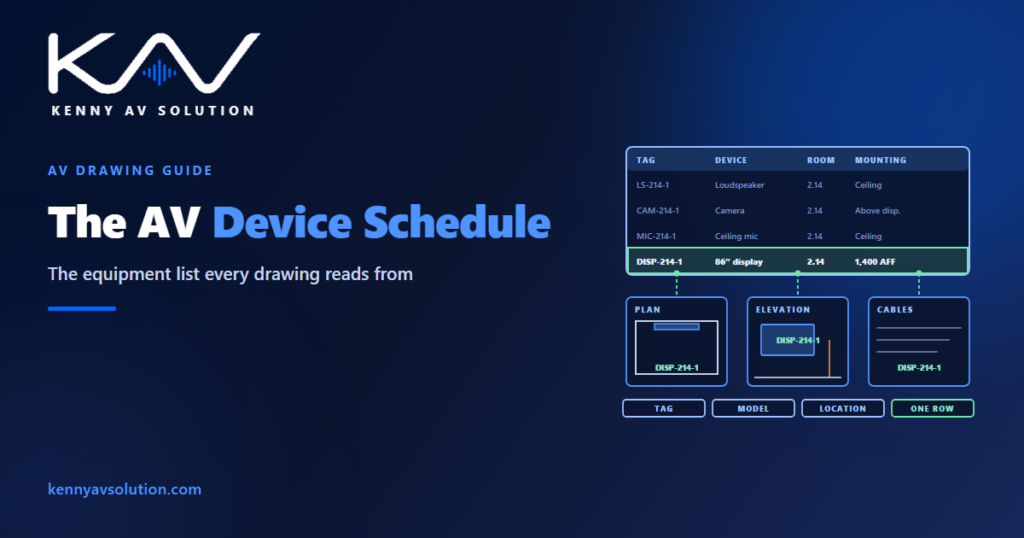
An AV device schedule — also called an equipment schedule or equipment list — lists every device on the drawings once, by its tag, with what it is, where it goes and how it is mounted, powered and connected. It is the index of the drawing set. Every symbol on a plan, every unit in a rack, every cable end and every control port refers back to a row in it. When the schedule and the drawings agree, a set is easy to price, build and check. When they do not, every other document inherits the disagreement.
A device schedule is not a bill of materials
The two are often treated as the same document, and they answer different questions. A bill of materials is for buying: it groups items by model, with quantities, and includes everything the project needs — mounts, cable, connectors, licences, consumables. A device schedule is for building: it lists each installed device individually, by tag, with its location and the sheets it appears on.
Twelve identical ceiling loudspeakers are one line on the bill of materials and twelve rows on the device schedule, because each one has its own position, its own cable and its own amplifier channel. Build the schedule first and derive the bill of materials from it. Done the other way round, the quantities are right and nobody can say where any of the devices go.
The columns that earn their place
A schedule with forty columns does not get read. Keep the columns someone on the project will actually use:
- Tag — the unique identifier, exactly as it appears on every drawing.
- Description — what it is, in plain words.
- Manufacturer and model — or the basis-of-design product, if the design is not yet tied to one.
- Room and location — the room number, and the plan and elevation sheets where the device is shown.
- Mounting — method and height, with the reference point stated.
- Power — the circuit or PoE requirement, which feeds the rack power and heat load totals.
- Network — the switch and port, where the device is on the network.
- Responsibility — who supplies and who installs it, matching the responsibility matrix.
- Status — new, or existing to remain, on renovation projects.
Heat output, weight, IP addresses and firmware versions are useful, but they usually belong in their own schedules — the rack schedule, the network documentation, the closeout records — referenced by the same tag.
One tag, one row, everywhere
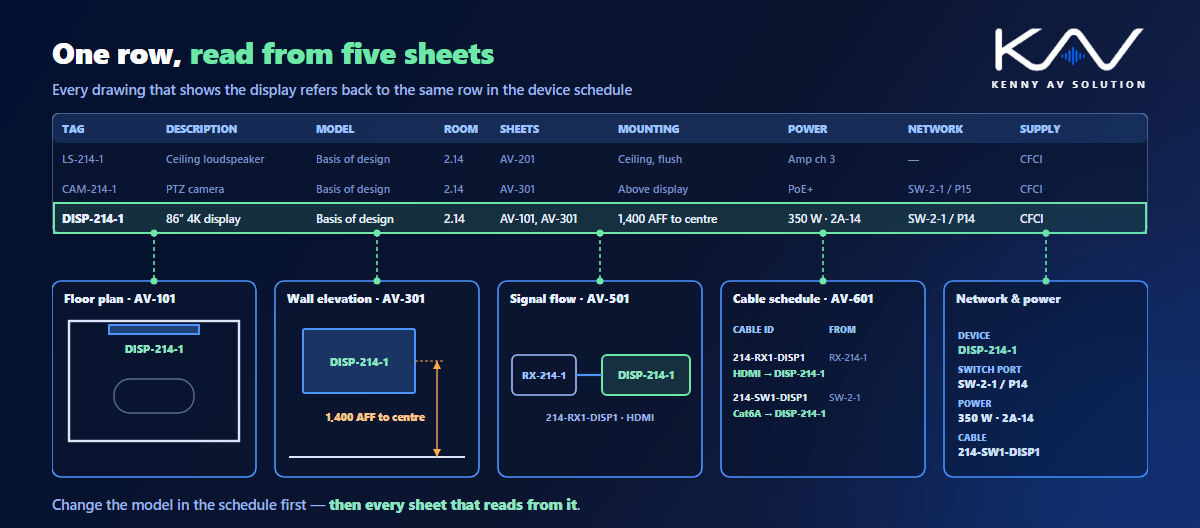
The schedule only works if a tag means the same device everywhere. The display tagged DISP-214-1 on the floor plan must be DISP-214-1 on the wall elevation, the signal flow diagram, the cable schedule and the control I/O schedule. Tags that drift between sheets are one of the most common mistakes in AV construction drawings, and the device schedule is where they are caught: if a tag on a drawing has no row, or a row has no symbol, something is wrong.
A simple check before every issue: count the symbols of each type on the plans, count the rows of that type in the schedule, and make sure the numbers match. It takes ten minutes and catches the loudspeaker that was deleted from the plan but is still being ordered.
Basis of design, alternates and substitutions
On a consultant-designed project, the schedule often names a basis-of-design product — the model the design was based on — with the specification allowing approved equals. The integrator’s shop drawings then name the model actually being supplied. Keep both visible while that decision is open, and record approved substitutions against the tag, not in an email. The relationship between the schedule and the written specification is covered in AV drawings vs specifications.
When a model changes, update the schedule first. A different display may be wider, heavier, draw more power or need a different mount; a different processor may have fewer ports. Each of those changes reaches the elevations, the rack, the power totals and the cable schedule, and the schedule row is where you see all of them at once.
Generate it from the drawings where you can
A schedule typed separately from the drawings will eventually disagree with them. Where the devices are drawn as blocks with attributes — tag, model, room, mounting height — the schedule can be extracted from the drawings themselves, so it updates when the drawings do. The method is covered in AV CAD blocks and attributes. Where the schedule lives in a spreadsheet or a design tool instead, keep the tag as the key and run the count check every time the set is issued.
Where it sits in the set
Small projects can carry the device schedule on a schedules sheet in the drawing set. Larger projects usually split it by floor, by room type or by system, or issue it as a separate document referenced from the drawings. Either way, every sheet that shows devices should be traceable back to it, and every revision to the drawings should be reflected in the schedule under the same revision control.
Frequently asked questions
What is an AV device schedule? A table listing every AV device on the drawings once, by its tag, with its description, model, room and location, mounting, power, network connection and who supplies and installs it. It is the index that every other drawing and schedule refers back to.
What is the difference between a device schedule and a bill of materials? A bill of materials groups items by model with quantities, for purchasing, and includes mounts, cable and consumables. A device schedule lists each installed device individually by tag, with its location and the sheets it appears on, for building and checking.
What columns should an AV equipment schedule have? At minimum the tag, description, manufacturer and model, room and location, mounting method and height, power, network connection, responsibility and, on renovations, status. Heat, weight and IP addressing usually belong in their own schedules, keyed by the same tag.
What does basis of design mean in an AV schedule? The product the design was based on, named in the consultant’s documents, with the specification usually allowing approved equals. The integrator’s shop drawings then name the model actually supplied.
How do you check a device schedule against the drawings? Count the symbols of each device type on the plans and compare them with the rows of that type in the schedule, and check that every tag on the drawings has a row and every row has a symbol.
Need a coordinated device schedule?
Kenny AV Solution drafts AV documentation for integrators, consultants and design-build teams worldwide — device and equipment schedules keyed to the drawings, cable schedules, control I/O and rack schedules, all with tags that match across every sheet and drawn to your standards and your title block. See our drafting services, get an existing set checked with a drawing set review, or schedule a quick call — we come back with a quote and timeline within one business day.