
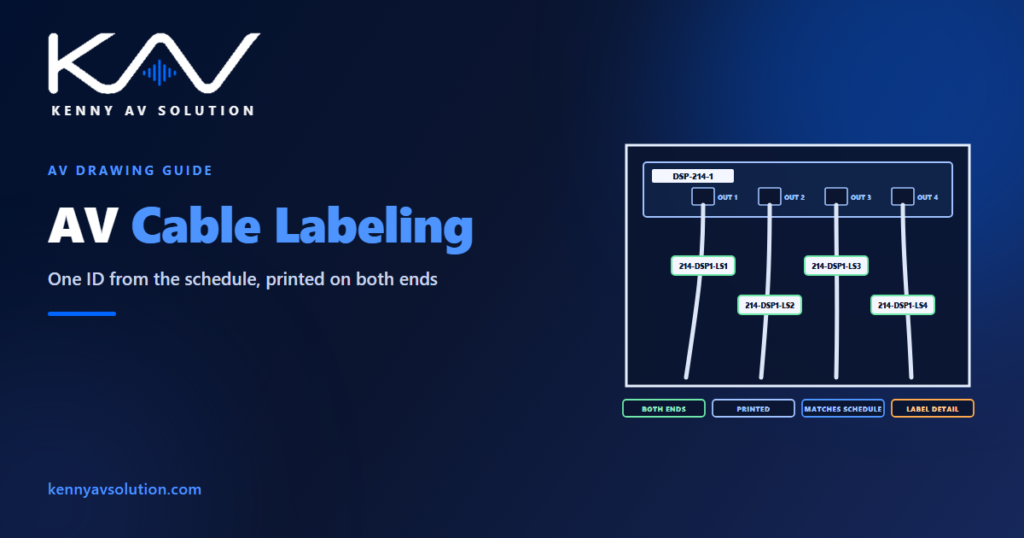
AV cable labeling is where the drawings meet the building. The cable schedule gives every cable an ID; the label is that ID, printed and fixed to both ends of the cable, so that anyone opening a rack or a floor box years later can find the cable on the drawings. An unlabeled cable is a cable nobody can trace without pulling on it. A labeled cable whose label does not match the schedule is worse, because it sends the technician confidently to the wrong place.
AV cable labeling is covered by AVIXA’s cable labeling standard (F501.01), and network cabling by TIA-606 or the client’s own administration standard. The project specification and the client’s standards govern formats, materials and placement; what follows is common practice.
One identifier, exactly as scheduled
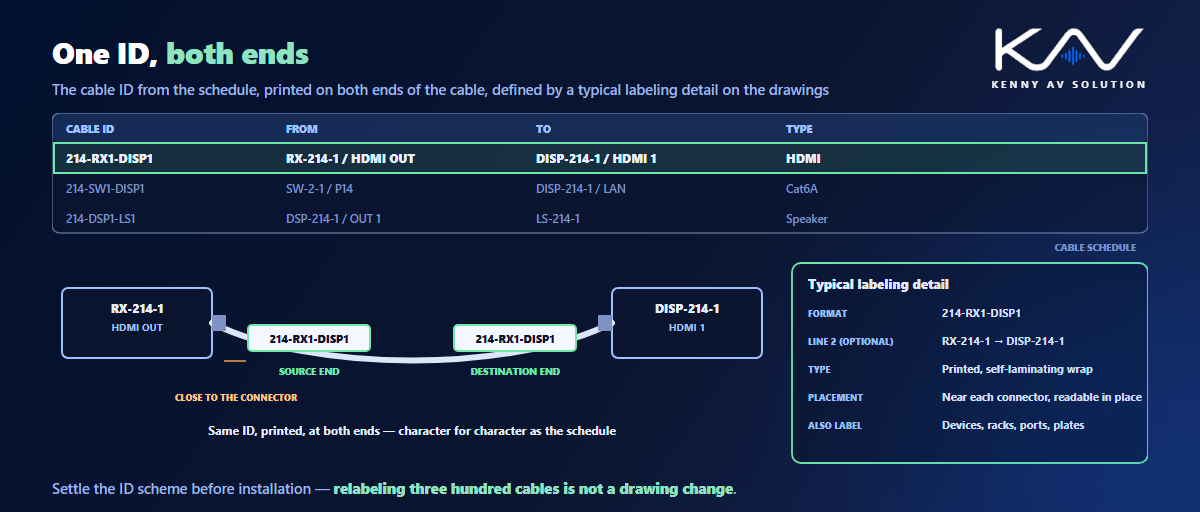
The label carries the cable ID from the cable schedule, character for character. Not an abbreviation, not the installer’s own shorthand, and not a number that is only unique within one room. If the schedule says 214-RX1-DISP1, both ends of that cable say 214-RX1-DISP1, and nothing else on the project does.
That is why the ID scheme has to be settled before installation, as part of the drawing standards. Changing a naming scheme on paper is easy; changing it on three hundred labels already in the ceiling is not.
What goes on the label
At minimum, the cable ID. Many projects also add the source and destination — for example, from the receiver to the display — so the label can be read without the schedule to hand. Keep it short enough to print legibly at the size the cable allows. Avoid putting information on the label that is likely to change, such as a room name that may be renamed or an IP address that may be reassigned; that belongs in the schedule, keyed by the ID.
Label types and durability
- Printed, never handwritten. Handwriting fades, smudges and is read differently by different people.
- Self-laminating wrap labels wrap around the cable with a clear tail that protects the print. They suit most cables and can be applied after termination.
- Heat-shrink sleeves are very durable but have to go on before the connector is fitted, so they need to be printed before the cable is terminated — which means the IDs must be final by then.
- Flag labels stand out from the cable and are easier to read in a dense bundle, but can snag and are more easily damaged.
Choose materials for the environment: outdoor, high-temperature or wet locations need labels rated for them, the same thinking as in outdoor AV drawings.
Where the label goes
Close to the connector at each end, where it can be read without moving the cable or opening a bundle, and facing the same way on every cable in a rack or panel. The specification or the standard may set an exact distance from the termination; follow it. Long runs through pull boxes or across risers may also need labels at intermediate points if the specification requires them.
Not just cables
A labeling scheme covers more than cable ends:
- Devices — every device in the rack labeled with its tag, front and rear, matching the device schedule.
- Racks — the rack itself, by tag, with its location.
- Patch panels and ports — each port numbered to match the schedule.
- Wall plates and floor boxes — usually engraved, as covered in wall plate and connector details.
- Power — outlets on switched or sequenced power distribution, so the step each device is on can be found.
Put a labeling detail on the drawings
“Label all cables” in a general note is not a design. Add a typical labeling detail: the label format with an example, the label type, the placement relative to the connector, any color coding and its legend, and how devices, plates and ports are labeled. A labeling detail turns an instruction into something an installer can follow and a reviewer can check. Most labeling software can print directly from a list exported from the cable schedule, which removes typing as a source of error.
Check the labels at handover
Labels are part of what gets verified at commissioning: each cable tested, and the label at each end checked against the schedule. Any cable added or changed on site gets a new ID in the schedule and on the as-built drawings, so the labels and the records still agree when the next person opens the rack.
Frequently asked questions
What is the standard for AV cable labeling? AVIXA’s cable labeling standard, F501.01, covers audiovisual systems, and TIA-606 covers structured cabling administration. Projects and clients often have their own standards as well, and the specification sets which apply.
What should an AV cable label say? At minimum the cable ID from the cable schedule, exactly as written there. Many projects add the source and destination. Avoid information that is likely to change, which belongs in the schedule instead.
Should AV cables be labeled at both ends? Yes. Each end carries the same ID, close to the connector, so the cable can be identified wherever it is found and traced back to the schedule.
Are heat-shrink or wrap-around labels better for AV cables? Heat-shrink sleeves are very durable but must be fitted before the connector, so the IDs have to be final first. Self-laminating wrap labels can be applied after termination and suit most cables.
How are cable labels shown on AV drawings? With a typical labeling detail showing the label format with an example, the label type, the placement relative to the connector, any color coding, and how devices, plates and ports are labeled.
Need cable schedules and labeling details?
Kenny AV Solution drafts AV documentation for integrators, consultants and design-build teams worldwide — cable schedules with a consistent ID scheme, typical labeling details, device and rack labeling, and schedules exported ready for label printing, all drawn to your standards and your title block. See our drafting services, get an existing set checked with a drawing set review, or schedule a quick call — we come back with a quote and timeline within one business day.