
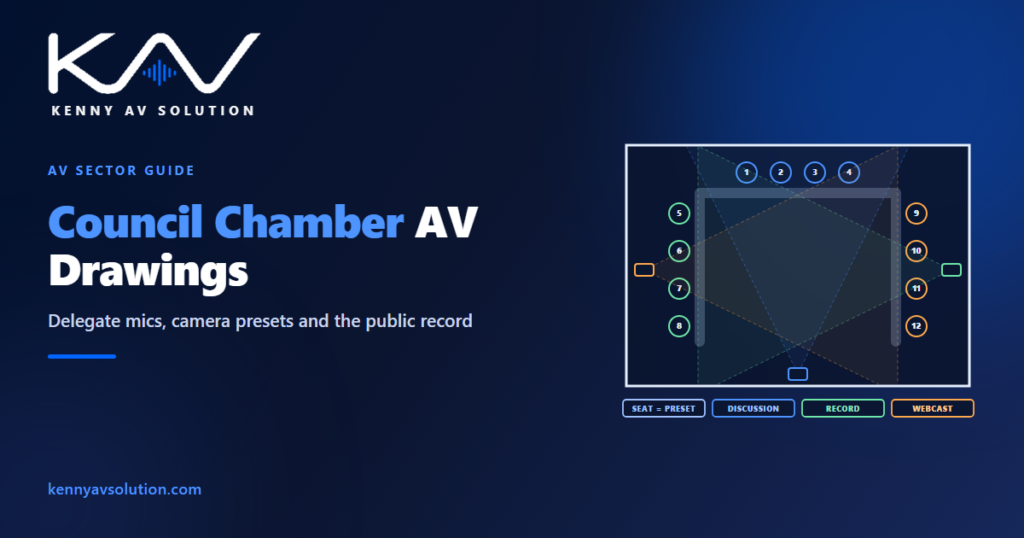
Council chamber AV drawings document a room where the meeting is only half the job. A council, board or assembly meets in public, and what is said becomes part of the public record — recorded, often streamed, sometimes broadcast, and kept. The AV system has to let members speak and be heard in an orderly way, let the public in the gallery and online follow it, and produce a record good enough to stand as the official account. In practice the chamber is a small broadcast studio built around a meeting table, and the drawings should be prepared that way.
Requirements for recording, streaming, accessibility and public access to meetings vary by jurisdiction and by organisation. Discussion and voting systems differ by manufacturer, and their documentation governs. What follows is common practice; confirm the specific obligations with the client.
The discussion system is the heart of it
Most chambers use a discussion system: a microphone unit at every member’s seat with a request-to-speak button, a chairperson unit that can grant the floor, cut a speaker off and override everyone, and a central unit that manages who is live. Many systems add voting, name displays and identification cards at each seat. Draw every unit at its seat, tagged by seat number, and say what each position can do: member, chair, clerk, officer or guest speaker.
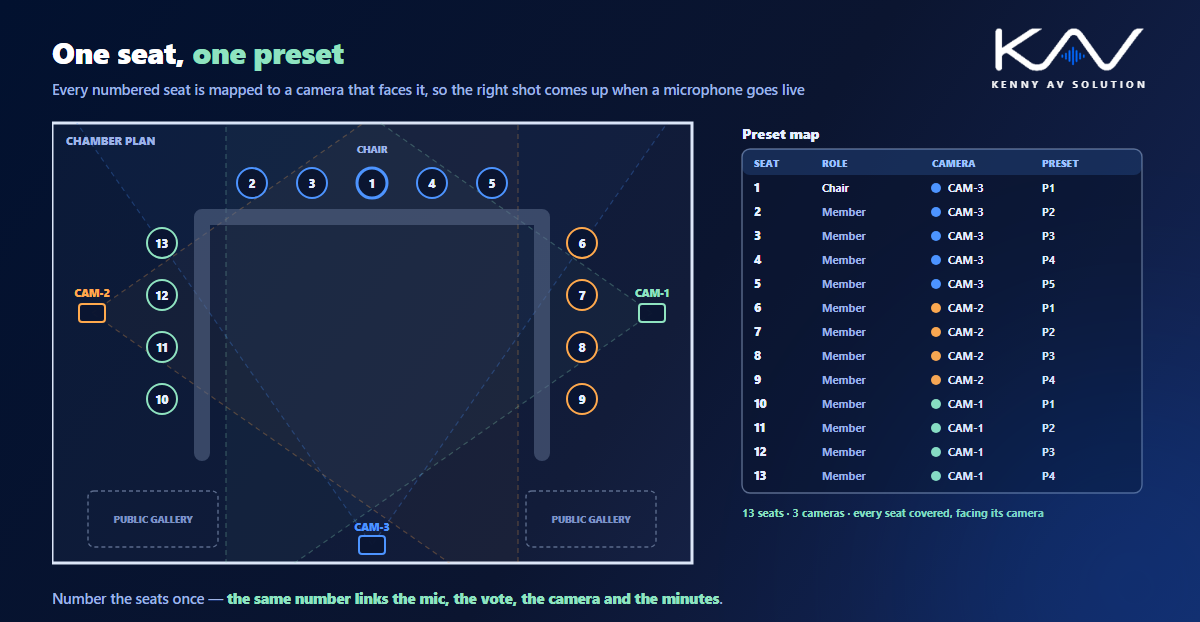
Seat numbers matter more here than in most rooms. The same number links the microphone unit, the voting record, the name display, the camera preset and, often, the minutes. Agree the seat numbering with the client early and keep it identical on every sheet and in the device schedule.
One seat, one camera preset
When a member speaks, viewers expect to see them. Most chambers do this with fixed or PTZ cameras and presets recalled automatically when a microphone goes live: seat 7 speaks, camera 2 moves to preset 7. That only works if every seat has a preset on a camera that can actually see it, at a usable angle, without a colleague or a monitor in the way.
Check it on the drawings. Draw each camera’s position and field of view on the plan, and add a preset map: every seat, the camera that covers it and its preset number. Where one camera cannot see the whole dais, the map shows which camera takes which seats, and the gaps show up before installation rather than at the first webcast. The geometry is the same as for any video conferencing room, just with more seats.
The record, the stream and the gallery
The same microphones usually feed several destinations, each with different needs:
- The official recording, which may need its own path, redundancy and retention arrangements.
- The webcast or broadcast feed, with camera switching and graphics.
- Public gallery reinforcement, so people in the room can hear members who are not speaking towards them.
- Remote participants, where hybrid meetings are allowed.
- Press and broadcaster feeds, if there is a press position or a media tie-line.
Show each on the signal flow diagram as its own destination, and state what happens when something fails. If the streaming encoder stops, does the meeting continue? If the recorder fails, does it? Those are procedural questions, but the drawing is where the answer has to be built in.
The dais is joinery
Like a courtroom bench, a council dais is usually built by a joiner to a shop drawing that is finalised well before AV would normally fix device positions. Microphone units, voting panels, displays, power, data and cable routes all need cutouts and containment inside the millwork. The same deadline problem described in courtroom AV drawings applies: fix the positions early, and put them on the joiner’s drawings, not just yours.
Accessibility and the public
A public meeting room usually needs assistive listening covering the gallery, displays the public can see for presentations and voting results, and positions for sign language interpreters or captioning where they are provided. If the chamber also hosts multilingual meetings, interpretation booths and language distribution may be needed too. Draw these as part of the system, with their coverage and sightlines, rather than as notes. The booths and channels are covered in simultaneous interpretation drawings.
What the drawing set contains
- A floor plan with every seat numbered, the discussion and voting units, camera positions and fields of view, displays and gallery loudspeakers.
- A preset map linking every seat to a camera and preset.
- Dais and lectern elevations and details, coordinated with the joinery.
- A signal flow showing the recording, webcast, gallery, remote and press destinations.
- Rack elevations, the device schedule, the cable schedule and a control narrative that describes how a meeting is run.
Frequently asked questions
What AV does a council chamber need? Typically a discussion system with a microphone at every seat and a chairperson unit, often with voting; cameras with a preset for each seat; recording and streaming; reinforcement for the public gallery; displays; and assistive listening. Requirements vary by jurisdiction and client.
What is a discussion system? A conference microphone system where each participant has a unit with a request-to-speak button, and a chairperson unit controls who has the floor. A central unit manages the queue and can link to voting, name displays and camera control.
How are cameras controlled in a council chamber? Usually by presets linked to the discussion system: when a member’s microphone goes live, the assigned camera recalls that seat’s preset. The drawings should include a preset map so every seat is covered by a camera at a usable angle.
Why do council chamber AV positions need to be fixed early? Because the dais is usually joinery built to a shop drawing that is finalised well before installation. Microphones, voting units, displays and cable routes need cutouts and containment built into the millwork.
Do council meetings need to be recorded and streamed? In many places, yes, by law or by the organisation’s own rules, but the requirements vary. Confirm them with the client, and show the recording and streaming paths on the signal flow diagram.
Need council chamber drawings?
Kenny AV Solution drafts AV documentation for integrators, consultants and design-build teams worldwide — chamber plans with seat numbering and preset maps, dais and lectern details coordinated with the joinery, signal flow for recording and webcasting, rack elevations and schedules, all drawn to your standards and your title block. See our drafting services, get an existing set checked with a drawing set review, or schedule a quick call — we come back with a quote and timeline within one business day.