
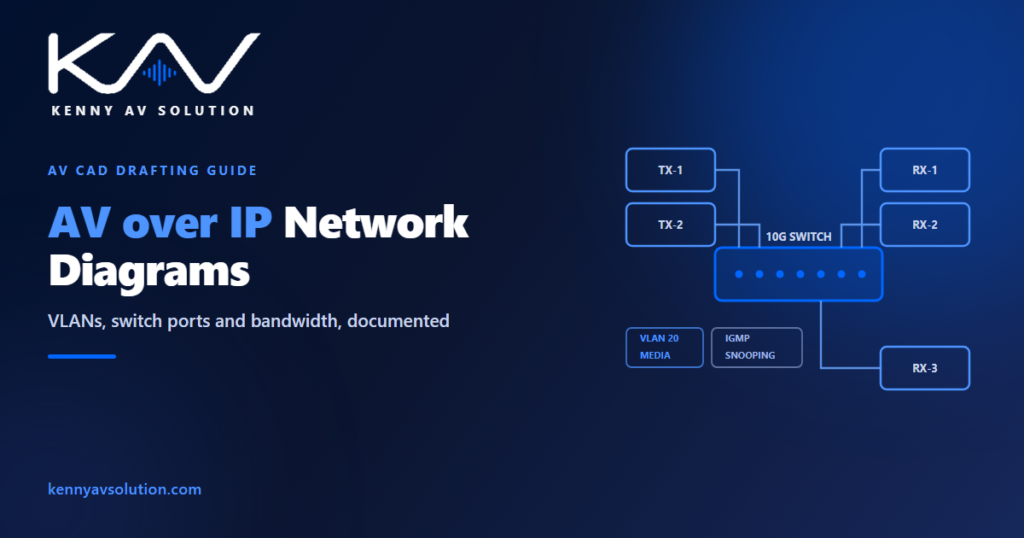
An AV over IP network diagram is the sheet that turns a networked AV system into something a contractor can actually build and a network team will actually approve. Once video and audio move over Ethernet, the AV drawing set has to answer questions no traditional schematic ever asked: which VLAN, which switch port, how much bandwidth, and who owns the network. This guide covers what belongs on an AV over IP network diagram, how it differs from a signal-flow drawing, and the mistakes that stall commissioning.
What is an AV over IP network diagram?
An AV over IP network diagram documents the network infrastructure that carries your AV traffic — encoders, decoders, switches, uplinks, VLANs and addressing — rather than the AV signal path alone. It is the drawing you hand to the IT department, the network contractor and the commissioning engineer, and it needs to make sense to all three.
If you are new to the technology itself, start with our overview of AV over IP in the audio visual industry. This guide assumes you have chosen the platform and now have to document it.
What belongs on an AV over IP network diagram
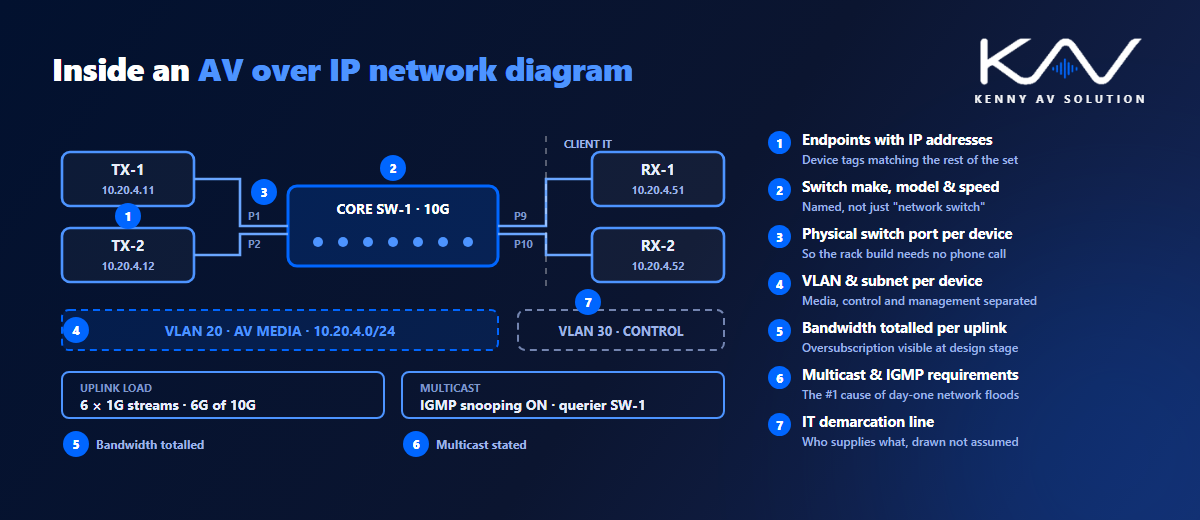
A complete sheet carries the detail that lets a network engineer provision switch ports without a phone call:
- Every encoder and decoder, tagged with the same device IDs used across the rest of the drawing set.
- Switch make, model and port count, plus which physical port each device lands on.
- VLAN assignment per device — AV media, control and management traffic are usually separated, and the diagram must say which is which.
- IP addressing scheme — static ranges, DHCP scopes and any reserved addresses.
- Uplinks and trunk links between switches, with the link speed clearly labelled (1G, 10G, 25G).
- Bandwidth per stream and per link, so oversubscription is visible on the drawing rather than discovered on site.
- Multicast requirements — IGMP snooping, querier location and any PIM routing between subnets.
- PoE budget where endpoints are powered from the switch.
- The demarcation line — which equipment the AV integrator provides and which the client’s IT team owns.
VLANs, multicast and the details that must be drawn
Three things cause most AV over IP commissioning failures, and all three belong on the diagram rather than in someone’s head.
Multicast handling. Most AV over IP platforms use multicast to send one stream to many decoders. Without IGMP snooping enabled, that traffic floods every port on the switch and takes the network down. The diagram should state that snooping is required, and where the querier sits.
VLAN separation. AV media traffic is high-bandwidth and latency-sensitive. It normally sits on its own VLAN, isolated from corporate traffic, with control and management on separate VLANs again. Show the VLAN ID against every device so nothing is provisioned by guesswork.
Bandwidth headroom. Add up the streams crossing each uplink and put the number on the drawing. A 10G uplink carrying eight uncompressed 1G streams is fine; the same uplink carrying twenty is not, and that is far cheaper to catch at design stage than at commissioning.
How it differs from a signal-flow diagram
Both drawings belong in the set, and they answer different questions. A signal-flow diagram shows what connects to what conceptually — this source reaches that display. An AV single-line diagram compresses that into one line per connection. The network diagram shows the transport underneath: the switch, the port, the VLAN and the bandwidth that make the logical connection possible.
The physical runs still live on the AV cable schedule, and any hand-terminated connection still needs a point-to-point wiring diagram. Device tags must read identically across all of them.
Common AV over IP network diagram mistakes
- No VLAN information, leaving the network team to invent a scheme that the AV platform may not tolerate.
- Multicast requirements omitted — the single most common cause of an AV over IP system that floods the network on day one.
- Switch ports unassigned, so nobody knows which device lands where during rack build.
- Bandwidth never totalled, hiding an oversubscribed uplink until commissioning.
- No demarcation between integrator-supplied and client-supplied equipment, which becomes a commercial argument later.
- Device tags that differ from the rest of the set, breaking every cross-reference.
- Drawn once and never revised when the switch model changed — see AV drawing revision control.
Most of these are documentation failures rather than design failures. Drawing the set to consistent AV drawing standards in AutoCAD prevents nearly all of them, and bodies such as AVIXA publish guidance on how networked AV documentation should be structured.
A quick AV over IP network diagram check
Before issuing, confirm that every endpoint shows a switch and port, every device shows a VLAN, multicast and IGMP requirements are stated, every uplink shows a speed and a bandwidth total, the PoE budget is noted, and the IT demarcation is drawn. We turned our full pre-issue pass into a free one-page PDF — grab the AV CAD Drafting Standards Checklist and run it before your next submittal.
Need networked AV documented properly?
AV over IP raises the documentation bar: your drawings now have to satisfy an IT department as well as an install crew. At Kenny AV Solution we produce AV over IP network diagrams alongside full AV shop drawing sets in AutoCAD, drawn to your standards and cross-checked against your schedules, for integrators worldwide. See our AV CAD drafting services or schedule a quick call — we come back with a quote and timeline within one business day.