
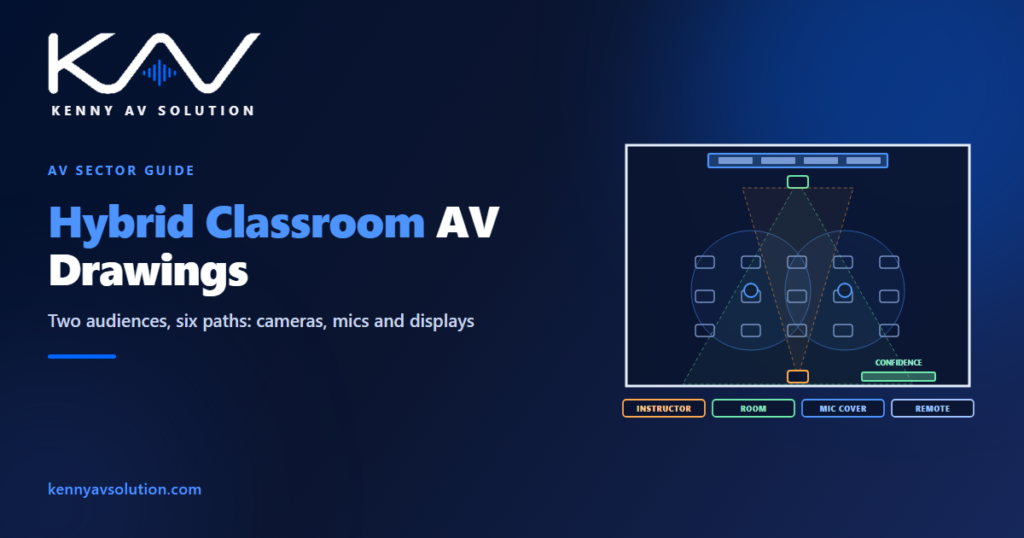
Hybrid classroom AV drawings document a room that teaches two audiences at once: the students in the seats and the students joining remotely. A conventional classroom only has to let the people in the room see and hear the instructor. A hybrid classroom — sometimes called a hyflex room — also has to let remote students see and hear the instructor, the board and their classmates, and let everyone in the room hear and see the remote students. Every one of those paths is a design decision, and most of them are decided on the drawings.
Camera, microphone and processing products differ widely, and the manufacturer’s documentation governs coverage and placement. Institutions often have their own classroom standards, which take precedence. The layout below is illustrative.
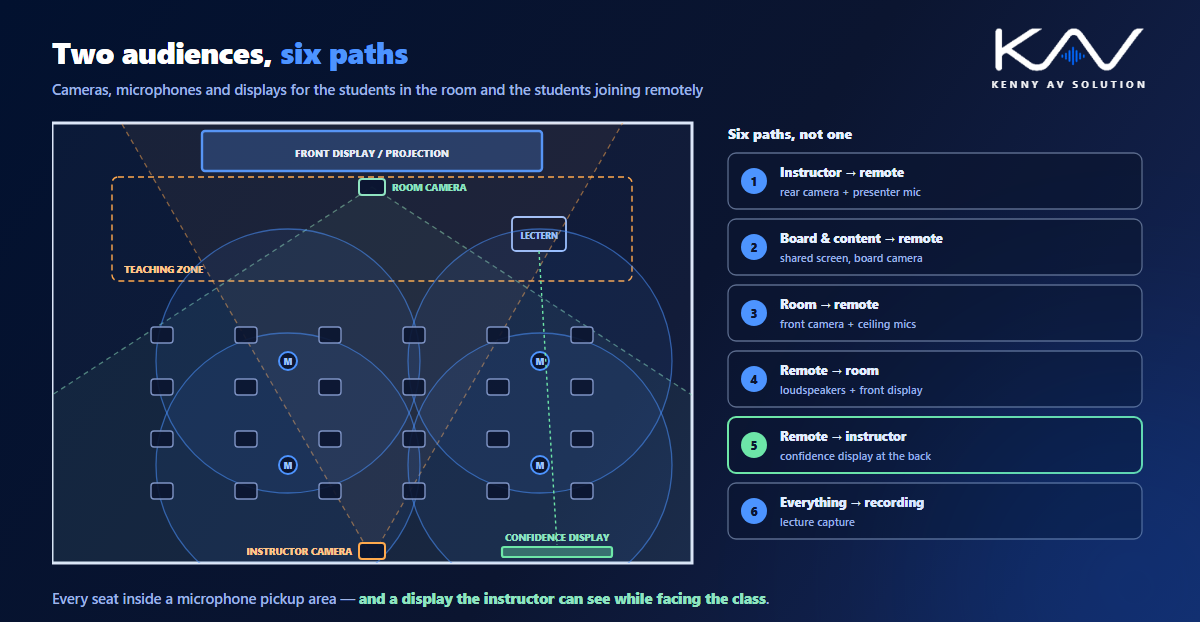
Six paths, not one
It helps to list the paths before drawing anything:
- Instructor to remote students — a camera on the instructor and a microphone that follows them.
- Board and content to remote students — the shared screen, and often a camera on a whiteboard.
- Students in the room to remote students — microphones that pick up questions from any seat, and a camera that shows the room.
- Remote students to the room — loudspeakers for their voices and a display showing them.
- Remote students to the instructor — a confidence display the instructor can see while facing the class.
- Everything to the recording — lecture capture, if the session is also recorded.
Each one should appear on the signal flow diagram. A design that covers the first four and forgets the fifth produces an instructor who cannot see the remote students raising their hands.
Cameras: one for the instructor, one for the room
Most hybrid classrooms need at least two cameras. An instructor camera, usually at the back of the room, covers the teaching zone at the front, often with tracking or presets for the lectern and board. A room camera at the front faces the students, so remote participants can see who is speaking. Draw each camera’s position, mounting height and field of view on the plan, and check the room camera reaches the back row and the instructor camera covers the whole teaching wall, not just the lectern. The same checks as any video conferencing room apply, at classroom scale.
Microphones: the whole room, not just the front
The instructor usually wears a wireless microphone or is covered by a microphone zone at the front. The harder part is the students: remote participants need to hear questions from every seat. Ceiling microphones or beam-forming arrays are drawn on the reflected ceiling plan with their pickup areas, and the coverage should reach every seat, including the back corners where questions are quietest.
Where the room’s loudspeakers play the remote students’ voices, the processor needs acoustic echo cancellation, so those voices are not sent back to them. Show the echo cancellation reference on the signal flow; it is easy to leave off, and the result is remote students hearing themselves.
Displays: two directions
The front display or projection serves the students in the room. The instructor needs a separate view: a confidence display at the back or side of the room, showing the remote students and the shared content, so the instructor can see both while facing the class. Draw its position and size on the plan and elevation, and check it is readable from the teaching position, using the same viewing-distance method as display sizing with DISCAS.
Keep it simple to start
A hybrid classroom is used by instructors who are not AV specialists, often between back-to-back classes. The control system should start a hybrid session with one action: cameras to their presets, microphones live, the conferencing or lecture capture platform running and the right sources on the right displays. Write that sequence into the control narrative, and make sure the touch panel position on the lectern elevation is where an instructor can reach it.
What the drawing set contains
- A plan with seating, teaching zone, cameras and their fields of view, displays and the confidence display.
- A reflected ceiling plan with microphones and their pickup coverage, and loudspeakers.
- Elevations of the teaching wall, lectern and confidence display.
- A signal flow covering all six paths, the echo cancellation reference and lecture capture.
- Rack elevations, device and cable schedules, and a control narrative for starting and ending a session.
Many institutions repeat the same room type across a campus, so the hybrid classroom is often drawn once as a typical room and reused, as described in AV design for education.
Frequently asked questions
What is a hybrid classroom? A classroom designed to teach students in the room and students joining remotely at the same time, with cameras, microphones, displays and loudspeakers so both groups can see and hear the instructor, the content and each other.
How many cameras does a hybrid classroom need? Usually at least two: an instructor camera at the back covering the teaching area and a room camera at the front facing the students. Some rooms add a document or whiteboard camera.
How do remote students hear questions from the room? Through ceiling microphones or beam-forming arrays whose pickup covers every seat. The coverage should be shown on the reflected ceiling plan and checked to reach the back of the room.
What is a confidence display in a classroom? A display the instructor can see while facing the students, usually at the back or side of the room, showing the remote participants and the shared content.
Why does a hybrid classroom need echo cancellation? Because the room loudspeakers play the remote students’ voices and the room microphones pick them up. Without acoustic echo cancellation, remote participants hear themselves back.
Need hybrid classroom drawings?
Kenny AV Solution drafts AV documentation for integrators, consultants and education teams worldwide — classroom plans with camera fields of view, ceiling plans with microphone coverage, teaching wall elevations, signal flow for hybrid teaching and lecture capture, and typical room packages for campus rollouts, all drawn to your standards and your title block. See our drafting services, get an existing set checked with a drawing set review, or schedule a quick call — we come back with a quote and timeline within one business day.