
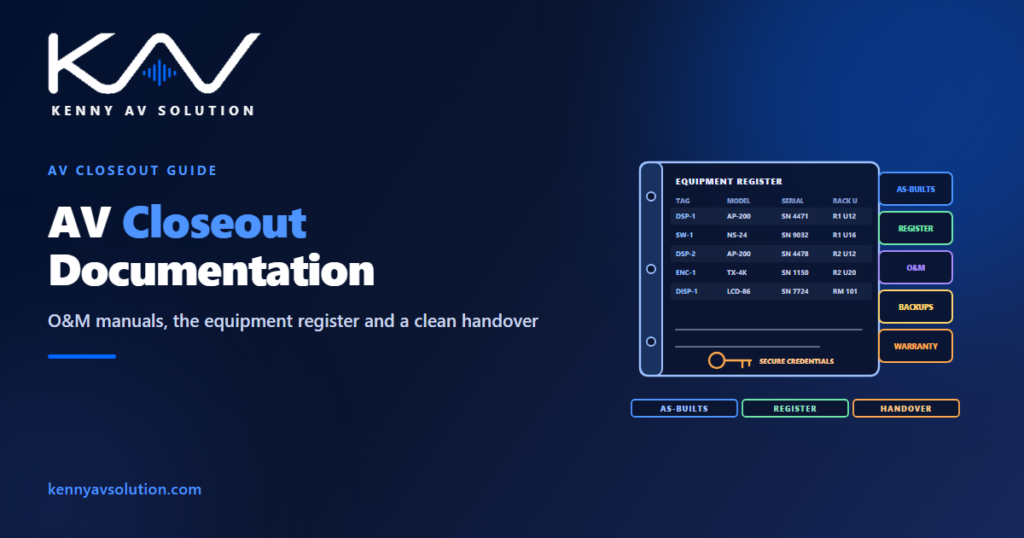
AV closeout documentation is the last thing an integrator delivers and often the first thing the client asks for when something goes wrong. It is the package that lets someone who did not build the system run it, maintain it and fix it: as-built drawings, an equipment register, operation and maintenance manuals, configuration backups, test results, training records and warranties. On many contracts it also stands between the integrator and the final payment. Yet it is routinely assembled in a rush in the last week, from memory and from boxes already thrown away.
The closeout items a project requires are set by its contract and specification — usually in Part 1 and Part 3 of the AV section — and those govern. What follows is common practice.
What a closeout package contains
- As-built drawings showing what was actually installed; see AV as-built drawings.
- An equipment register: every device with its tag, make, model, serial number, location and network details.
- Operation and maintenance (O&M) manuals: product documentation, a description of the system and simple operating guides for users.
- Configuration and programming files: backups of control, audio processor and network configurations, in the form the contract requires.
- Test and commissioning reports; see commissioning and performance verification.
- Training records: who was trained, on what, and when.
- Warranties and support contacts, with start and end dates.
- Spare parts and attic stock, where specified, with a list of what was handed over.
Start closeout on day one
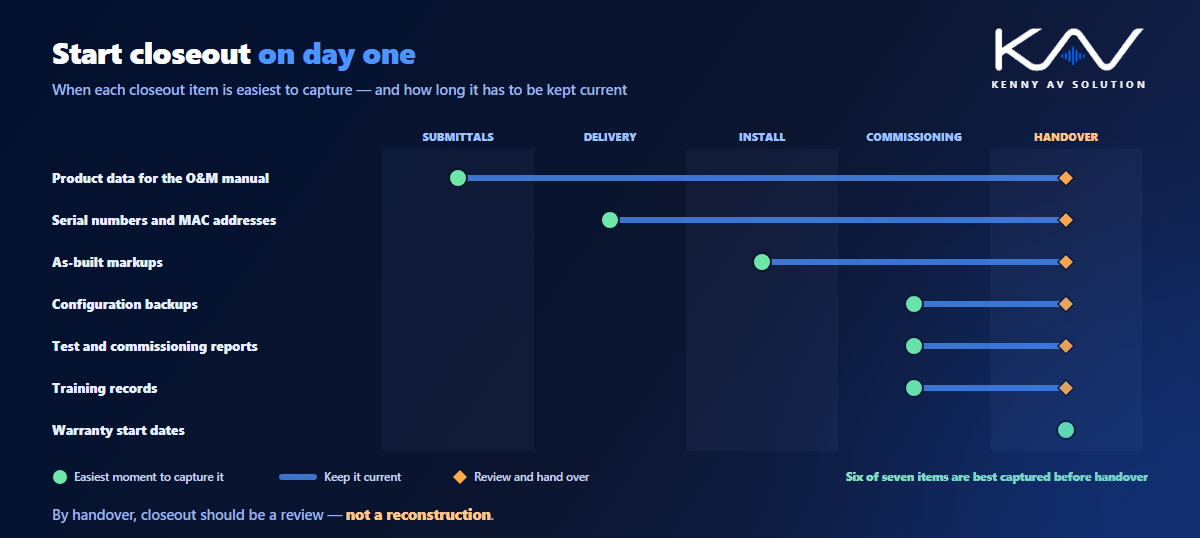
Almost every closeout item has a natural moment during construction when it is easy to capture — and a much harder moment at the end. Serial numbers are easy to record when equipment is unboxed and labelled, and painful to read off the back of a rack that is already wired. As-built changes are easy to mark up on the day the route changes, and guesswork months later. Configuration backups are easy to take the moment commissioning is signed off, before anyone changes a setting.
So set the package up at the start of the job: a folder structure that matches the specification’s closeout list, an equipment register that grows as devices arrive, and as-built markups kept alongside the current drawings. By handover, closeout is a review rather than a reconstruction.
One equipment register ties it together
The single most useful closeout document is a register that connects the drawings to the physical equipment. Each row is one device: tag, make and model, serial number, MAC and IP address where relevant, firmware version, room, rack and rack unit, and warranty end date. Use exactly the same tags as the drawings, the cable schedule and the labels on the equipment, so a technician can go from a fault on a touch panel to the right box in the right rack without guessing.
The register is also where the drawings meet the contract. Every item in it should be on the as-built equipment schedule, and every item on the schedule should be in it; checking one against the other is one of the quickest ways to find what was changed on site without being recorded.
Configuration, credentials and ownership
Modern AV systems run on configuration: control programs, audio processor settings, network switch configurations, display settings. Back them up after commissioning and again after any change during the defects period, and label each backup with the date and the system it belongs to. Whether the client receives editable source files or only compiled versions is a contract question; settle it before the job, not at handover.
Passwords and other credentials should never sit in plain text in the O&M manual. Change default passwords during commissioning, and hand the credentials over by a secure method agreed with the client’s IT team, as described in AV network security documentation.
Make the O&M manual usable
A manual made of a hundred manufacturers’ PDFs satisfies the specification and helps nobody. Put a short, plain-language section at the front: what the system is, which rooms it serves, how each room type is used, who to call for support, and where the drawings and register are. One-page quick guides for each room type, matching the control narrative, are what users will actually read. Keep the product documentation behind them for the technicians.
A closeout checklist
- As-built drawings reflect every recorded change and carry the as-built revision.
- Equipment register complete, with serials, network details and warranty dates, matching the as-built schedule.
- Configuration backups taken after commissioning and labelled.
- Default passwords changed; credentials handed over securely.
- Test and commissioning reports signed.
- Training delivered and recorded.
- Warranties registered, with start dates and support contacts.
- Spare parts handed over against a list, if specified.
- Package structure matches the specification’s closeout list; see AV drawings vs specifications.
Frequently asked questions
What is included in AV closeout documentation? Typically as-built drawings, an equipment register, operation and maintenance manuals, configuration and programming backups, test and commissioning reports, training records, warranties with support contacts, and a list of any spare parts handed over. The project specification sets the exact list.
What is an AV O&M manual? The operation and maintenance manual for the system: a plain-language description of the system and how each room is used, quick operating guides, and the manufacturers’ product documentation, so the owner can run and maintain the system after handover.
What should an AV equipment register include? For every device: its tag, make and model, serial number, MAC and IP address where relevant, firmware version, room, rack and rack unit, and warranty end date, using the same tags as the drawings and the cable schedule.
When should closeout documentation start? At the start of the project. Serial numbers, as-built changes and configuration backups are easy to capture when they happen and hard to reconstruct later, so the package should grow during construction rather than be assembled at the end.
How should AV passwords be handed over? Change all default passwords during commissioning and hand the credentials over by a secure method agreed with the client’s IT team, never in plain text inside the O&M manual.
Need help with AV closeout documentation?
Kenny AV Solution drafts AV documentation for integrators worldwide — from design and shop drawings to as-builts and equipment registers that match them, drawn to your standards and your title block. Send us your markups and equipment data. See our drafting services, grab the free AV CAD Drafting Standards Checklist, or schedule a quick call — we come back with a quote and timeline within one business day.