
AV drawing revision control is the discipline of tracking every change to an AV drawing set so your team always builds from the correct, current version. On any real AV project, drawings change – equipment gets swapped, room layouts shift, clients request tweaks – and without proper revision control those changes cause rework, mismatched installs, and finger-pointing. This guide covers what AV drawing revision control is, why it matters, and a simple workflow to keep every sheet under control.
What is AV drawing revision control?
AV drawing revision control is the system of numbering, marking, and logging changes to a drawing set as it evolves from first issue to as-built. Every time a sheet is updated it gets a new revision (Rev A, Rev B, and so on), the change is clouded on the drawing, and the revision block records what changed, when, and by whom. Done well, anyone picking up the set knows instantly whether they are holding the latest version – and exactly what changed since the last one. Standards bodies such as AVIXA emphasize consistent documentation practices for exactly this reason.
Why revision control matters on AV projects
Without disciplined AV drawing revision control, the most common failure is simple: someone installs from an outdated sheet. The consequences add up fast:
- Costly rework – gear installed to a superseded layout has to be moved or re-terminated.
- Disputes – no one can prove which version was current when a decision was made.
- Coordination errors – other trades build around AV drawings that have since changed.
- As-built chaos – the final documentation does not match what was actually installed.
How AV drawing revision control works
Effective AV drawing revision control comes down to a few consistent elements on every sheet:
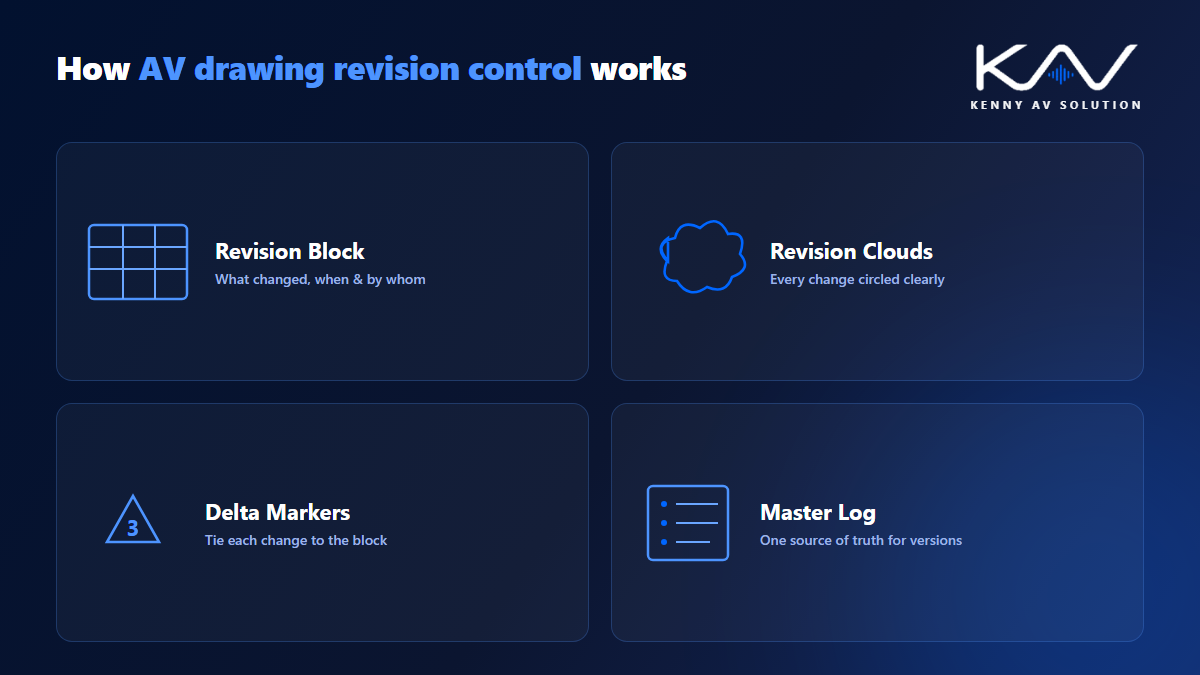
- Revision block – a table in the title block listing each revision letter, date, description, and author. Driving it from sheet set fields keeps every sheet in step; see AV CAD sheet setup.
- Revision clouds – a scalloped outline drawn around each change so reviewers spot it instantly. RFI answers that change the design reach the drawings this way; see how to write an AV RFI.
- Revision triangles (deltas) – a small numbered marker next to each cloud that ties the change back to the revision block.
- Consistent version numbering – a clear scheme applied across the whole set.
- A master revision log – a single record of the current revision of every sheet.
A simple AV drawing revision control workflow
You do not need heavy software to control revisions – you need a consistent process:
- Freeze a baseline. Issue the first coordinated set as Rev A and archive it.
- Cloud every change. When something changes, cloud it, add a delta, and never edit silently.
- Bump the revision. Update the revision block and the sheet revision letter on every issued change.
- Log it centrally. Record the new revision in your master log so everyone knows the current version.
- Re-issue cleanly. Send the updated set with a transmittal noting which sheets changed and why. If the specification changed too, issue it with the same revision status; see AV drawings vs specifications.
Apply this to your rack elevations, signal-flow diagrams, and cable schedules alike, and the whole set stays coordinated.
Common revision control mistakes
Even good teams slip on AV drawing revision control in predictable ways:
- Silent edits – changing a drawing without clouding it or bumping the revision.
- Reusing revision letters – or skipping them, so history becomes ambiguous.
- No single source of truth – multiple copies floating around with no master log.
- Forgetting the as-built pass – never rolling field changes back into a final revision.
A quick quality-control step catches most of these – our AV CAD Drafting Standards Checklist includes revision checks you can run before every issue.
Keep your AV drawing sets under control
Strong AV drawing revision control is one of the clearest signs of a professional drafting partner – it protects your schedule, your budget, and your reputation. If keeping revisions clean across projects is stretching your team, Kenny AV Solution produces and maintains submittal-ready AV drawings in AutoCAD, revision-controlled to your standards. Explore our AV CAD drafting services, read our related guide on how to read a complete AV drawing set, or schedule a quick call and we will respond within one business day.