
When an AV installation wraps up, the final step that too often gets skipped is also one of the most valuable: producing accurate as-built drawings. These drawings document exactly how the system was installed in the field, not just how it was designed on paper. For property owners, facility managers, and integrators alike, AV as-built drawings are the difference between a system that’s easy to maintain and a system that becomes a black box the moment the install team drives away.
In this guide, we’ll walk through what AV as-built documentation actually includes, why it matters more now than ever, and how integrators can make as-builts a smooth part of project closeout instead of a last-minute scramble.
What Are AV As-Built Drawings?
AV as-built drawings are the final, redlined version of the project’s design documentation that reflects the actual installed condition of every device, cable run, rack, and connection. They start life as the original design drawings — floor plans, signal flow diagrams, rack elevations, conduit and riser diagrams — and get updated to match what was actually built in the field.
If a projector ended up two feet off-center because of a structural beam, that change shows up on the as-built. If a fiber run was rerouted through a different conduit because of trade conflicts, that change shows up too. The point is simple: the drawings should match reality.
Think of as-builts as the “final source of truth” for a finished AV system.
How As-Builts Differ From Design Drawings
It helps to keep the distinction clear:
- Design drawings show the intended installation. They’re approved before construction and used as a build guide.
- Shop drawings are the integrator’s coordinated version, often more detailed for fabrication and installation.
- As-built drawings capture what actually exists after commissioning. They are the final record handed off to the client.
Without all three, the documentation chain has gaps, and gaps eventually cost someone money. For more on the broader documentation picture, see our guide on the complete AV design documentation package.
Why As-Built Drawings Matter
It’s tempting to treat as-builts as a paperwork formality, but they pay back their cost many times over the life of a system.
Faster, Cheaper Maintenance
The number one benefit is service efficiency. When a technician shows up to troubleshoot a conference room three years from now, accurate as-builts let them trace signal paths, locate specific patch points, and identify cable IDs in minutes instead of hours. No more pulling ceiling tiles or chasing cables blind. For a multi-room corporate deployment, that time savings adds up to real money.
Easier System Upgrades
AV systems get refreshed every five to seven years on average. When that refresh comes, the design firm needs to know what’s actually in the walls, what spare conduit is available, and where the existing infrastructure can be reused. Without as-builts, the next integrator has to do a costly site survey before they can even quote the work.
Warranty and Liability Protection
If something fails six months after handoff, the owner needs documentation to prove how it was installed and which manufacturer’s warranty applies. As-builts protect the integrator too — they’re the written record showing the install met the agreed scope and standards.
Compliance and Audit Trails
For schools, government facilities, healthcare environments, and any space subject to building code review, as-builts are often a contractual requirement. Some clients won’t release final payment until a complete as-built package is delivered.
What’s Included in a Complete AV As-Built Set
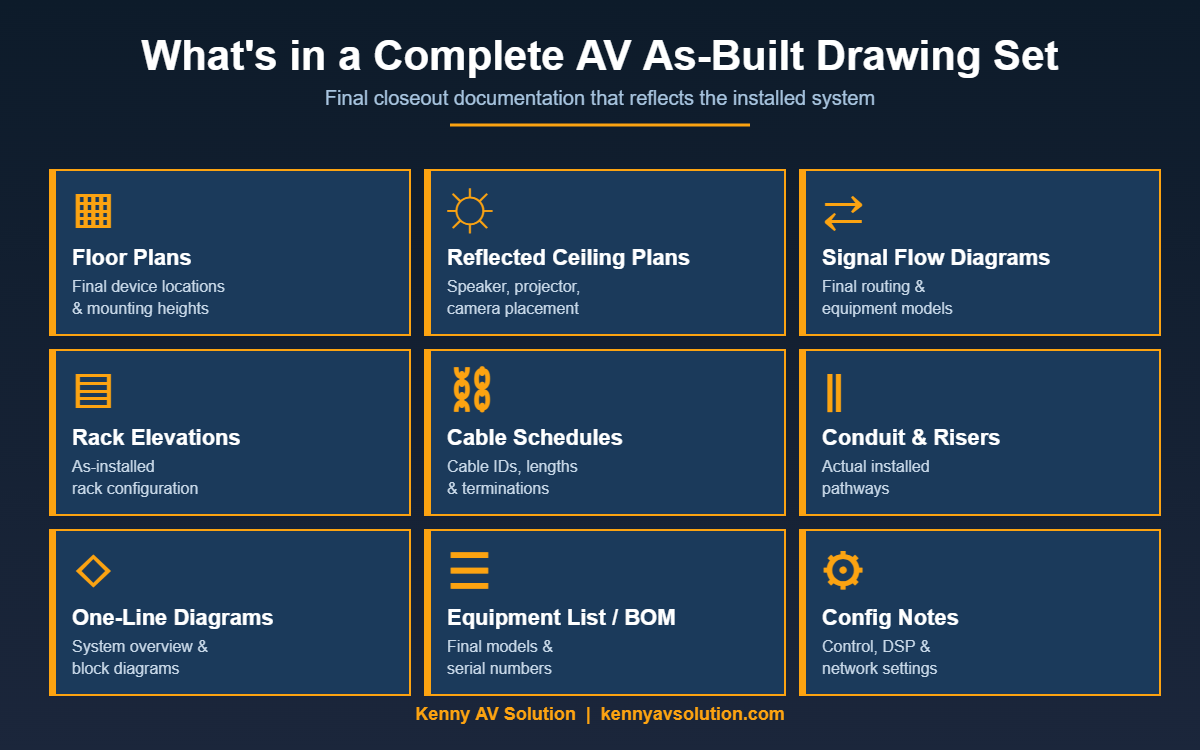
A proper AV as-built drawing package mirrors the design package, with every page updated to reflect installed conditions. Here’s what a typical set looks like:
- Floor plans with final device locations, mounting heights, and orientations
- Reflected ceiling plans showing actual speaker, projector, and camera placements
- Signal flow diagrams updated to reflect any swapped models or rerouted signals
- Rack elevations showing the as-installed equipment configuration
- Cable schedules with final cable IDs, lengths, and termination points
- Conduit and riser diagrams showing the actual pathway used in construction
- One-line and block diagrams for system overview
- Equipment list and bill of materials with final model numbers and serial numbers
- Configuration notes for control systems, DSPs, and network settings
Larger projects also include commissioning reports, test results, and operation and maintenance manuals as part of the closeout package.
The AV As-Built Process
Producing as-builts isn’t usually one big task at the end of the job — it’s a running set of redlines collected throughout installation. The smoother teams treat it as a living document.
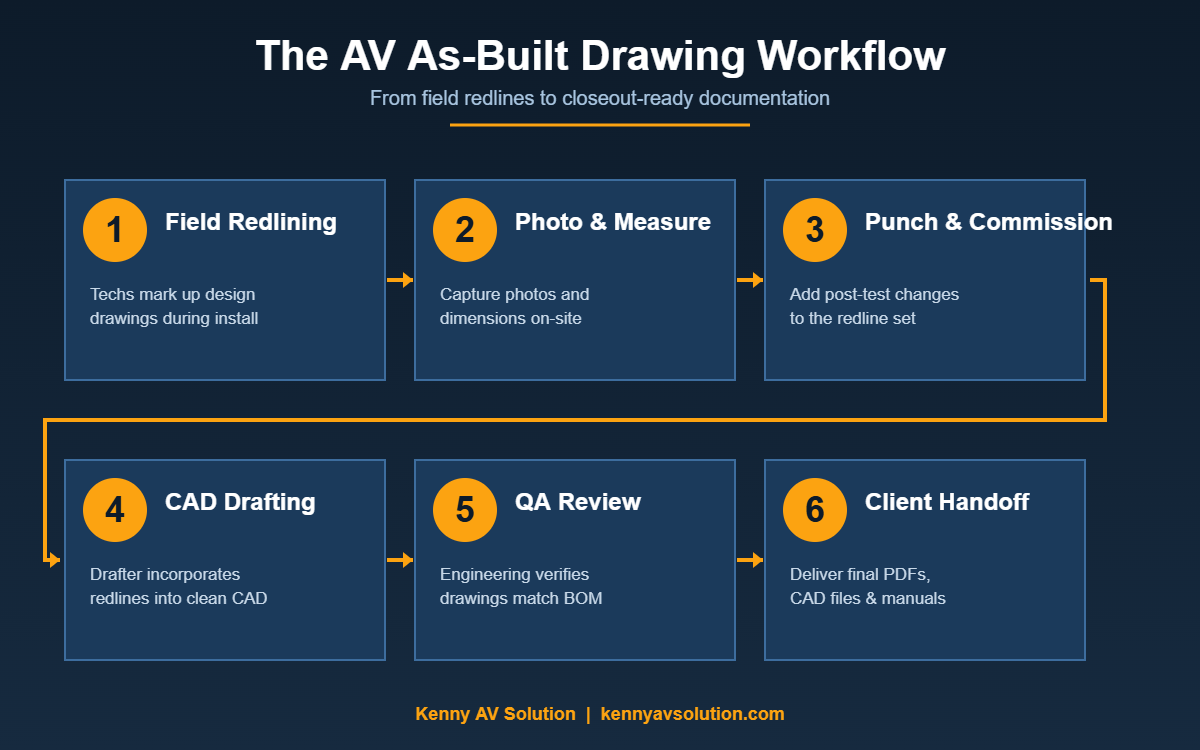
A typical workflow looks like this:
- Field redlining during install. Lead technicians mark up paper or PDF copies of the design drawings as deviations happen.
- Photo and measurement documentation. Critical changes get photos and dimensions captured on-site.
- Punch list and commissioning verification. Final adjustments after testing are added to the redline set.
- CAD drafting of clean as-builts. A drafter incorporates the redlines into clean CAD files.
- Internal QA review. Engineering verifies that drawings, BOM, and field reality match.
- Client handoff. Final PDFs and CAD files are delivered, often with a closeout binder or digital package.
Skipping any of these steps is where as-built quality breaks down.
Common Mistakes With AV As-Builts
Most as-built problems trace back to one of these patterns:
- Redlines collected too late. If field deviations aren’t captured in the moment, no one remembers them at closeout.
- No single owner. Without one person responsible for the as-built process, it falls through the cracks.
- Drawings updated, BOM forgotten. Or vice versa. The two have to stay in sync.
- Photos without context. A picture of a rack means nothing without labels showing what changed.
- Generic file naming. “Floor Plan – Final – v3 – ACTUAL FINAL.dwg” wastes everyone’s time later.
A repeatable closeout checklist eliminates most of these.
Best Practices for Better As-Builts
Integrators who deliver clean as-built packages tend to follow a few common habits:
- Standardize redline conventions across the team so every tech marks up drawings the same way.
- Use cloud-based tools or shared PDFs so redlines from multiple techs roll up automatically.
- Set a closeout deadline in the project schedule, not “when we get to it.”
- Tie as-built completion to final invoicing — it’s the fastest way to make sure they actually get done.
- Outsource the drafting if your in-house CAD bandwidth is tied up on the next project.
Cost and Outsourcing AV As-Built Drafting
For most integrators, the field redlining is in-house, but the clean CAD drafting at the end is increasingly outsourced. It’s predictable, scoped work that doesn’t require deep system knowledge — just solid CAD discipline and AV documentation experience.
Outsourcing as-builts typically runs from a few hundred dollars for a single conference room up to several thousand for a multi-floor enterprise deployment. The cost is almost always less than the labor hours an in-house engineer would spend on the same task, and it frees that engineer up for billable design work. For a deeper look at drafting rates, see our AV CAD drafting cost guide.
If your team is consistently late with closeouts or losing margin on documentation, outsourcing is the simplest fix. Kenny AV Solution provides full as-built drafting services for AV integrators, taking redlines and producing closeout-ready CAD packages on a project basis.
Closing Thoughts
AV as-built drawings aren’t a chore to clear off the punch list — they’re the documentation that makes a system supportable, upgradeable, and defensible for its entire life. Treat them as a deliverable, not an afterthought, and the system you install today will still be easy to work on five years from now.
If you’d like a sample as-built package or want to talk about outsourcing your CAD closeout work, get in touch with Kenny AV Solution — we work with integrators across North America to keep their documentation tight and their projects closing on time.