
AV CAD drawings are the backbone of every successful audio visual integration project. From conference rooms and boardrooms to auditoriums and campus-wide deployments, professional AV CAD drawings ensure that every piece of equipment is placed correctly, every signal path is documented, and every installation runs smoothly from day one.
Whether you are an AV integrator looking to outsource your drafting work, a system designer building documentation packages, or a project manager trying to understand what deliverables you need, this guide covers everything about AV CAD drawings and how they drive better AV project outcomes.
What Are AV CAD Drawings?
AV CAD drawings are technical illustrations created using computer-aided design software that document every aspect of an audio visual system. These drawings translate complex AV system designs into clear, scaled visual documents that installation teams, engineers, and clients can all understand and work from.
Unlike hand sketches or basic diagrams, professional AV CAD drawings are created to precise scale in industry-standard software like AutoCAD, Visio, D-Tools, or XTEN-AV. They follow AVIXA standards for symbols, notation, and documentation, ensuring consistency across the entire AV industry.
AV CAD drawings serve as the single source of truth for an AV project. They tell everyone involved exactly what equipment goes where, how signals flow through the system, where cables run, and how everything connects together.
Types of AV CAD Drawings Every Project Needs
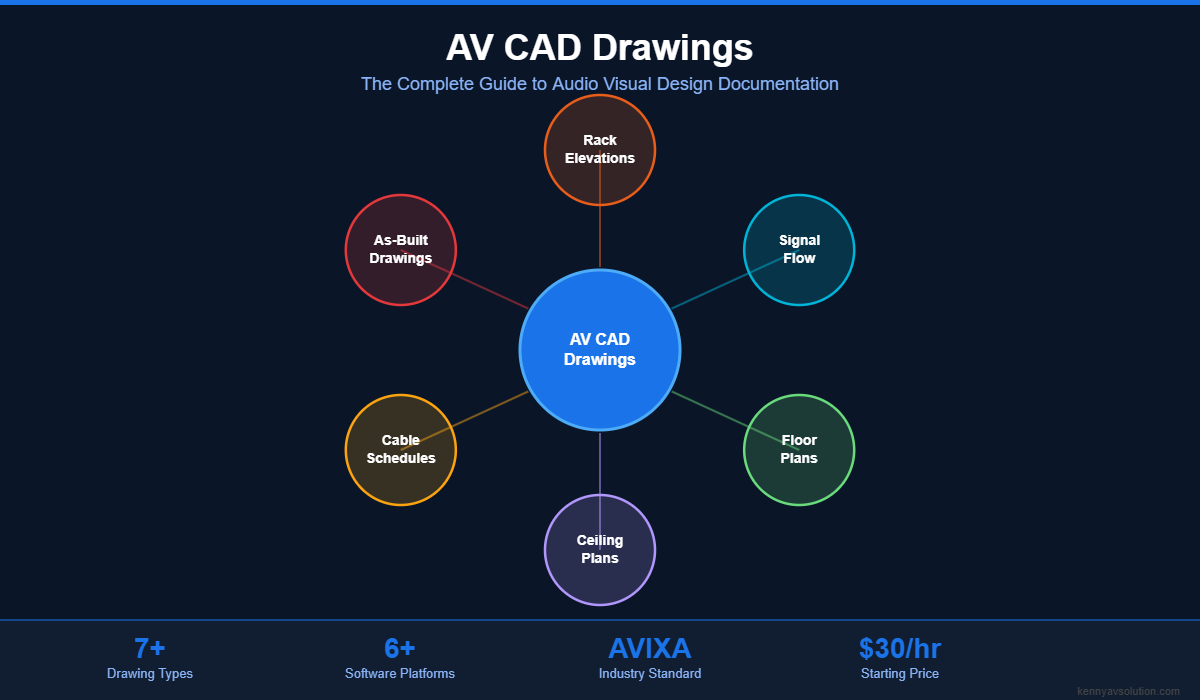
A complete AV design documentation package includes several types of AV CAD drawings. Each serves a specific purpose and audience. Here are the essential drawing types that professional AV integrators deliver:
AV Rack Elevation Drawings
Rack elevation drawings show exactly how equipment is arranged inside AV equipment racks. They detail every component position measured in rack units, ventilation spacing, power distribution, and cable management. Both front and rear views are included so installation teams know exactly what goes where.
Read our complete guide to AV rack elevation drawings
AV Signal Flow Diagrams
Signal flow diagrams trace the path of audio, video, and control signals through the entire AV system. They show every source, processing stage, routing decision, and destination using color-coded lines and standardized symbols. These diagrams are essential for both installation and troubleshooting.
Read our complete guide to AV signal flow diagrams
AV Floor Plans
AV floor plans show equipment locations overlaid on architectural floor plans. They indicate where displays, speakers, cameras, microphones, touch panels, and other devices are positioned within a room. These drawings coordinate with architects and general contractors to ensure AV infrastructure is built into the space correctly.
Reflected Ceiling Plans
Reflected ceiling plans document the placement of ceiling-mounted AV equipment including projectors, speakers, microphones, cameras, and display mounts. They show exact mounting coordinates relative to the ceiling grid, ensuring precise placement during installation.
AV Single Line Diagrams
Single line diagrams provide a simplified overview of the entire AV system showing the main signal paths between major equipment groups. They are ideal for client presentations, design reviews, and high-level system documentation.
Cable Schedule and Pathway Drawings
Cable schedules list every cable in the system with its type, length, source, destination, and conduit pathway. Pathway drawings show how cables route through the building infrastructure including conduits, cable trays, and riser pathways.
AV As-Built Drawings
As-built drawings are updated versions of the original design drawings that reflect the actual installed system. They capture any field changes made during installation and serve as the permanent reference document for the completed project.
Why AV CAD Drawings Are Critical for AV Integration Projects
Skipping professional AV CAD drawings might seem like a way to save time and money, but it almost always costs more in the long run. Here is why AV CAD drawings are non-negotiable for professional AV work:
Eliminate Costly Installation Errors
Without clear AV CAD drawings, installation teams make assumptions. Those assumptions lead to incorrect equipment placement, wrong cable runs, and systems that do not work as designed. Rework on site is expensive. Professional drawings prevent these errors before they happen.
Win More Bids and Build Client Trust
When you present a client with professional AV CAD drawings during the proposal phase, you demonstrate expertise and thoroughness. Clients can see exactly what they are getting before a single piece of equipment is purchased. This transparency wins projects and builds long-term relationships.
Coordinate with Other Trades
AV systems do not exist in isolation. Your drawings need to coordinate with electrical contractors, network teams, architects, and general contractors. Professional AV CAD drawings created in industry-standard formats make this coordination seamless.
Simplify System Maintenance
After installation day, AV CAD drawings become permanent reference documents. When a technician needs to troubleshoot an issue, add new equipment, or upgrade the system years later, these drawings provide everything they need to understand the existing system quickly.
Meet Industry Standards and Compliance
Professional AV CAD drawings follow AVIXA standards for symbols, notation, and documentation practices. This ensures your deliverables meet industry expectations and can be understood by any qualified AV professional, not just the original designer.
What Software Is Used for AV CAD Drawings?
Professional AV CAD drawings are created using several industry-standard software platforms. The choice of software often depends on the project requirements, client preferences, and the complexity of the system being designed:
- AutoCAD — The industry standard for technical drawing. Most AV integrators and architects work in AutoCAD, making it the default choice for AV floor plans, elevation drawings, and construction documents.
- Visio — Widely used for signal flow diagrams, system block diagrams, and single line drawings. Visio is popular because it is accessible and works well for schematic-style AV documentation.
- D-Tools System Integrator — Purpose-built for AV system design. D-Tools combines drawing capabilities with equipment databases, proposals, and project management features.
- XTEN-AV X-DRAW — A newer cloud-based AV design platform that automates many aspects of AV CAD drawing creation including rack elevations and signal flow diagrams.
- Bluebeam Revu — Popular for markup, collaboration, and review of AV CAD drawings during the coordination phase with other trades.
- Revit and BIM — Increasingly used for large commercial projects where AV systems need to be modeled in 3D alongside architectural, structural, and MEP systems.
At Kenny AV Solution, our drafting team is proficient in all of these platforms. We work with whatever software your projects require, ensuring seamless integration with your existing workflows and client expectations.
How Much Do AV CAD Drawings Cost?
The cost of AV CAD drawings varies based on project complexity, the number of drawing types required, and turnaround time. Here is a general pricing overview:
- Single room projects (huddle rooms, small conference rooms) — A basic documentation package including rack elevations, signal flow, and floor plans typically ranges from $500 to $2,000.
- Multi-room projects (corporate offices, education campuses) — More complex projects with multiple unique room types can range from $2,000 to $15,000 depending on scope.
- Enterprise and large-scale projects (stadiums, convention centers, campus-wide deployments) — Full documentation packages for large projects can range from $15,000 to $35,000 or more.
- Hourly drafting rates — Many AV CAD drafting services charge between $25 and $75 per hour for on-demand drafting work.
At Kenny AV Solution, we offer competitive AV CAD drafting services starting at $30 per hour, with project-based packages available for larger engagements. Our pricing is transparent and tailored to each project needs.
Why Outsource AV CAD Drawings?
Many AV integrators are discovering that outsourcing their AV CAD drawings to specialized drafting services delivers better results at lower cost than maintaining in-house drafting capabilities. Here is why:
- Focus on your core business — Your engineers and project managers should be designing systems and managing client relationships, not spending hours in AutoCAD. Outsourcing drafting work frees your best people to do their highest-value work.
- Scale up and down instantly — When you win a large project, you need additional drafting capacity immediately. Outsourcing lets you scale without the overhead of hiring, training, and managing full-time CAD drafters.
- Consistent quality — Specialized AV CAD drafting services maintain strict quality standards across every drawing because it is their core competency. You get professional, standardized documentation every time.
- Faster turnaround — Dedicated drafting teams can turn around AV CAD drawings faster than in-house teams who are juggling multiple responsibilities.
- Cost savings — Outsourcing eliminates the costs of full-time salaries, benefits, software licenses, and ongoing training for CAD staff.
Learn more about the benefits of outsourcing AV CAD work
Frequently Asked Questions About AV CAD Drawings
What is included in a standard AV CAD drawing package?
A standard AV CAD drawing package typically includes rack elevation drawings (front and rear views), signal flow diagrams, AV floor plans, reflected ceiling plans, cable schedules, and a bill of materials. Larger projects may also include conduit pathway drawings, riser diagrams, and detailed connection schedules.
Do I need AutoCAD to create AV CAD drawings?
While AutoCAD is the most widely used software for AV CAD drawings, alternatives like Visio, D-Tools, XTEN-AV, and even Bluebeam can be used depending on the drawing type. For construction document coordination, AutoCAD or Revit is generally required. For signal flow diagrams and system schematics, Visio is a popular and effective choice.
How long does it take to produce AV CAD drawings?
Turnaround time depends on project complexity. A single conference room documentation package can be completed in 3 to 5 business days. Multi-room projects typically take 1 to 3 weeks. Large enterprise projects may require 4 to 8 weeks for complete documentation.
What is the difference between AV CAD drawings and BIM?
Traditional AV CAD drawings are 2D technical illustrations. BIM (Building Information Modeling) creates 3D digital models that contain detailed information about every component. BIM is becoming more common on large commercial construction projects where AV systems need to coordinate with other building systems in a shared 3D model environment.
Can AV CAD drawings be outsourced?
Yes. Many AV integrators outsource their CAD drafting to specialized services like Kenny AV Solution. Outsourcing provides access to experienced drafters who understand AV systems, without the overhead of maintaining in-house CAD staff. This is especially valuable for small to mid-sized integration firms that need professional documentation but cannot justify full-time drafting positions.
AV CAD Drawings for Different Project Types
Different environments have different AV documentation requirements. Here is how AV CAD drawings adapt to common project types:
Conference Rooms and Boardrooms
Conference room AV CAD drawings focus on video conferencing systems, presentation switching, display placement, microphone coverage, and speaker zones. Documentation typically includes ceiling mic coverage patterns, camera sight lines, and integration with room scheduling systems.
Education and Training Facilities
Classroom and lecture hall AV drawings include lecture capture systems, assisted listening coverage, projection calculations, and often integration with campus-wide AV management platforms. Multi-building campus projects require careful documentation of backbone infrastructure and AV-over-IP networks.
Houses of Worship
Worship spaces require AV CAD drawings that address complex audio reinforcement, IMAG video systems, broadcast workflows, and lighting control integration. These projects often involve unique acoustic considerations that must be reflected in speaker placement and signal processing documentation.
Hospitality and Entertainment
Hotels, restaurants, and entertainment venues need AV drawings covering distributed audio zones, digital signage networks, event production infrastructure, and guest-facing technology. These projects often require coordination with interior designers and architects to ensure AV equipment is aesthetically integrated.
Choose Kenny AV Solution for Your AV CAD Drawings
At Kenny AV Solution, we are a specialized AV CAD drafting service built by AV professionals for AV professionals. We understand the unique requirements of audio visual system documentation because we live and breathe this industry every day.
Here is what sets us apart:
- AV industry expertise — Our drafters understand AV systems, not just CAD software. We know the difference between a Dante network and a traditional analog audio system, and that knowledge shows in our drawings.
- All major platforms — We work in AutoCAD, Visio, D-Tools, XTEN-AV, and Bluebeam. Whatever your workflow requires, we deliver.
- AVIXA standards compliant — Every drawing we produce follows AVIXA documentation standards for symbols, notation, and best practices.
- Fast turnaround — We understand that AV projects move fast. Our team delivers quality AV CAD drawings on timelines that keep your projects moving forward.
- Competitive pricing — Starting at just $30 per hour with project-based packages available for larger engagements.
Contact Kenny AV Solution today to discuss your AV CAD drawing needs. Whether you need a single rack elevation or a complete documentation package for a multi-building campus, we are ready to help you deliver professional AV documentation that impresses your clients and simplifies your installations.